Why Every RAP Application Starts with a CDS View Entity
If you are developing applications in SAP S/4HANA Public Cloud or using the RESTful Application Programming Model (RAP), the very first artifact you will create is usually a CDS View Entity.
CDS View Entities are much more than database views. They represent reusable business entities that can be consumed by RAP Business Objects, Fiori applications, OData Services, Embedded Analytics, APIs, and many other SAP technologies.
Throughout this learning series, we will build a production-style CDS View Entity and gradually enhance it with built-in data types, CAST, CASE expressions, string functions, numeric functions, associations, aggregations, conversion functions, and other advanced features.
Instead of creating unrelated examples for every lesson, we will continuously improve the same CDS View Entity so that you understand how real SAP applications evolve over time.
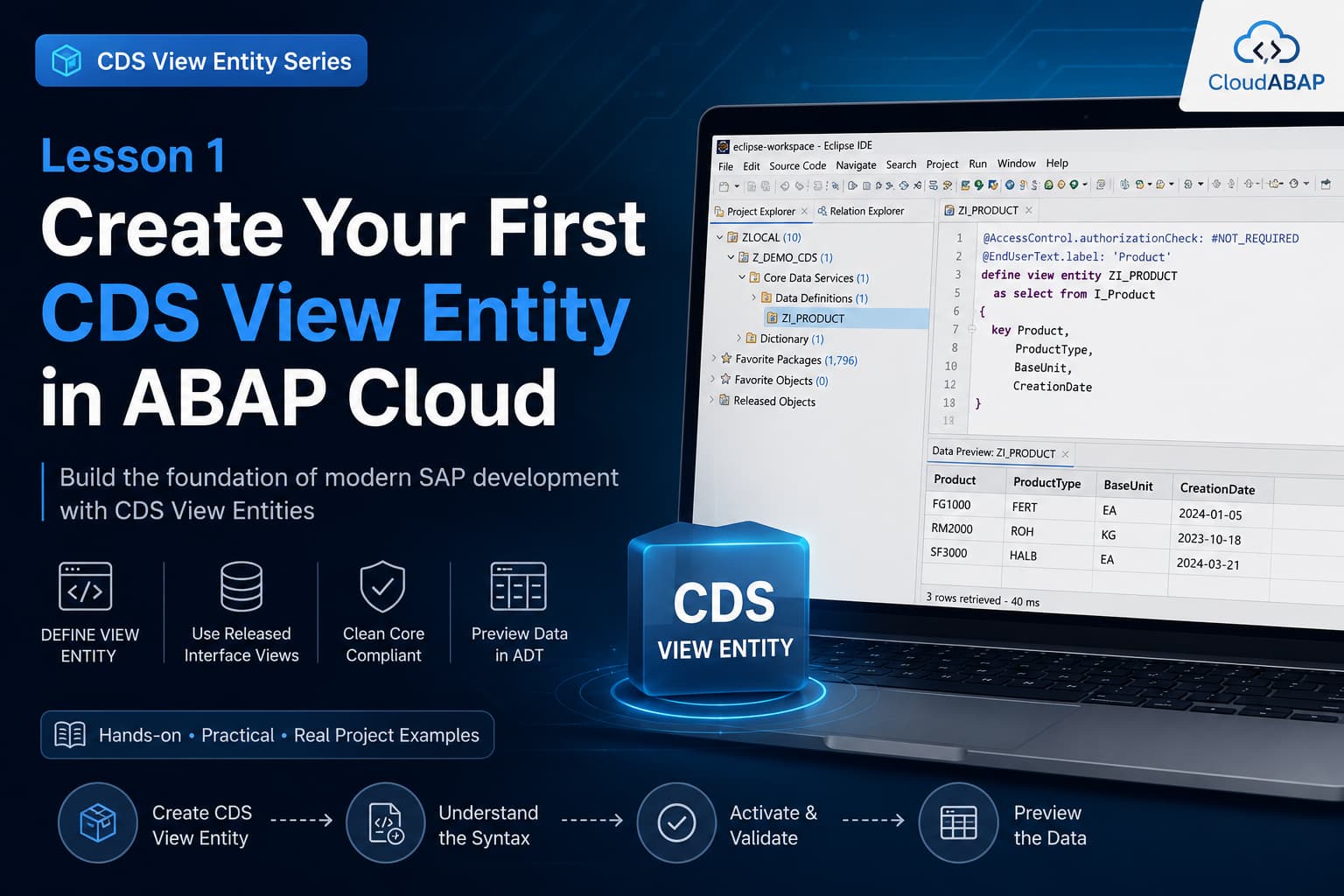
What You Will Learn
By the end of this lesson you will be able to:
- Create a CDS View Entity using Eclipse ADT.
- Understand why SAP introduced DEFINE VIEW ENTITY.
- Select the correct released Interface View.
- Understand every keyword in a CDS View Entity.
- Activate the CDS successfully.
- Preview data directly from ADT.
- Follow SAP Clean Core development principles.
What Is a CDS View Entity?
A CDS View Entity is SAP's strategic data modeling artifact for ABAP Cloud and SAP S/4HANA development.
Unlike a traditional SQL View, a CDS View Entity combines business semantics, relationships, calculations, metadata, annotations, and security within a single reusable repository object.
Once created, the same CDS View Entity can be reused by multiple SAP technologies without duplicating business logic.
Where CDS View Entities Are Used
| Technology | Purpose |
|---|---|
| RAP | Business Objects and Transactional Applications |
| Fiori Elements | UI Generation |
| OData Services | REST APIs |
| Embedded Analytics | KPIs and Reports |
| Custom Applications | Reusable Business Data Model |
Why SAP Introduced DEFINE VIEW ENTITY
Earlier versions of ABAP CDS used the DEFINE VIEW syntax, which generated an additional SQL View in the ABAP Dictionary.
SAP later introduced DEFINE VIEW ENTITY, eliminating the need for generated SQL Views and simplifying the CDS repository model.
Today, SAP recommends using DEFINE VIEW ENTITY for all new developments in SAP S/4HANA and ABAP Cloud.
DEFINE VIEW vs DEFINE VIEW ENTITY
| Feature | DEFINE VIEW | DEFINE VIEW ENTITY |
|---|---|---|
| SQL View Generated | Yes | No |
| Recommended for New Development | No | Yes |
| ABAP Cloud | Limited | Fully Supported |
| Repository Model | Legacy | Modern |
💡 SAP Best Practice
Always use DEFINE VIEW ENTITY when developing new CDS artifacts in SAP S/4HANA Public Cloud or ABAP Cloud.
Prerequisites
Before creating your first CDS View Entity, make sure you have the following prerequisites in place.
Prerequisites
| Requirement | Description |
|---|---|
| ABAP Development Tools (ADT) | Latest Eclipse with ABAP Development Tools installed |
| Development System | SAP S/4HANA Public Cloud or ABAP Cloud System |
| Developer Extensibility | Developer Extensibility must be enabled |
| Development Package | A package where repository objects can be created |
| Authorization | Permission to create repository objects |
💡 SAP Best Practice
Throughout this course we will use only released SAP artifacts, ensuring every example follows SAP's Clean Core and ABAP Cloud development guidelines.
Choosing the Right Naming Convention
Consistent naming conventions make RAP applications much easier to understand and maintain. SAP recommends using meaningful prefixes for each CDS artifact.
Recommended Naming Convention
| Artifact | Prefix | Example |
|---|---|---|
| Interface CDS | ZI_ | ZI_PRODUCT |
| Projection CDS | ZC_ | ZC_PRODUCT |
| Root CDS | ZR_ | ZR_PRODUCT |
| Behavior Definition | ZI_ | ZI_PRODUCT |
| Behavior Projection | ZC_ | ZC_PRODUCT |
| Metadata Extension | ZC_ | ZC_PRODUCT_MDE |
Throughout this learning series we will use ZI_PRODUCT as our primary CDS View Entity and extend it in future lessons.
Choosing the Correct Data Source
One of the biggest changes in ABAP Cloud is that developers should no longer access SAP database tables directly.
Instead, SAP exposes released business objects through Interface CDS Views, identified by the prefix I_*.
Common Released Interface Views
| Released View | Business Object |
|---|---|
| I_Product | Product Master |
| I_BusinessPartner | Business Partner |
| I_Customer | Customer |
| I_Supplier | Supplier |
| I_SalesDocument | Sales Order Header |
| I_SalesDocumentItem | Sales Order Item |
| I_PurchaseOrderAPI01 | Purchase Order |
Architect Perspective
Architect InsightModern SAP development is business-object centric rather than table-centric.
Instead of asking which table stores the data, ask which released business entity provides it. This mindset is fundamental to ABAP Cloud, RAP, and SAP's Clean Core strategy.
Why We Are Using I_Product
In this lesson we will build our CDS View Entity using the released Interface View I_Product.
This object exposes Product Master data and is available in SAP S/4HANA Public Cloud for application development.
Real Project Example: Why Not MARA?
In classic ABAP development, product information was usually read directly from the MARA table.
In ABAP Cloud, applications should consume the released business API I_Product instead of directly accessing SAP tables.
This keeps applications upgrade-safe and compliant with SAP's Clean Core principles.
Creating the CDS View Entity
Eclipse ADT provides a wizard that automatically creates a new CDS Data Definition object.
Follow these steps:
- Open your development package.
- Right-click the package.
- Select New → Repository Object.
- Select Core Data Services → Data Definition.
- Enter the object name ZI_PRODUCT.
- Enter a meaningful description.
- Select the transport request.
- Finish the wizard.
ADT creates a new CDS Data Definition with a basic template ready for development.
Building Our First CDS View Entity
Replace the generated template with the following CDS definition.
@AccessControl.authorizationCheck: #NOT_REQUIRED
@EndUserText.label: 'Product'

define view entity ZI_PRODUCT
  as select from I_Product
{
  key Product,
      ProductType,
      BaseUnit,
      CreationDate
}
Don't worry if some of these keywords are unfamiliar. In the next section, we'll break down every line of this CDS View Entity and understand exactly what it does.
Understanding Every Line of the CDS View Entity
Although our first CDS View Entity contains only a few lines of code, every statement has a specific purpose. Before creating more advanced CDS artifacts, it's important to understand what each keyword means.
Understanding the CDS Definition
| Statement | Purpose |
|---|---|
| @AccessControl.authorizationCheck | Defines whether CDS access control (DCL) is evaluated. |
| @EndUserText.label | Provides a business-friendly description. |
| define view entity | Creates a modern CDS View Entity. |
| as select from | Specifies the CDS data source. |
| key | Defines the business key of the entity. |
Understanding the Header Annotations
@AccessControl.authorizationCheck: #NOT_REQUIRED
@EndUserText.label: 'Product'
The first two lines are CDS annotations. These annotations provide metadata that SAP tools use during design time and runtime.
Header Annotation Explanation
| Annotation | Explanation |
|---|---|
| @AccessControl.authorizationCheck | Specifies whether DCL authorization checks should be performed. |
| @EndUserText.label | Business description displayed in ADT and SAP applications. |
💡 SAP Best Practice
During learning, using #NOT_REQUIRED keeps the focus on CDS development. In productive applications, authorization is normally implemented using DCL.
Understanding DEFINE VIEW ENTITY
define view entity ZI_PRODUCTKeyword Breakdown
| Keyword | Meaning |
|---|---|
| define | Creates a new repository object. |
| view entity | Creates the modern CDS View Entity object. |
| ZI_PRODUCT | Technical name of the CDS View Entity. |
SAP recommends DEFINE VIEW ENTITY for all new developments because it removes the dependency on generated SQL Views and aligns with the ABAP Cloud programming model.
Understanding the Data Source
as select from I_ProductEvery CDS View Entity requires one or more data sources.
In this example, our source is the released SAP Interface View I_Product.
Why We Use Released Interface Views
| Direct Table Access | Released Interface View |
|---|---|
| Dependent on SAP internal implementation | Stable released business API |
| Not recommended in ABAP Cloud | Recommended by SAP |
| Upgrade risk | Upgrade-safe |
| Table-centric | Business-object centric |
Understanding KEY
key ProductThe KEY keyword identifies the business key of the CDS View Entity.
For our Product Master, every product is uniquely identified by the field Product.
Later, when we build RAP Business Objects, these key fields become the unique identifiers used for reading, updating, and deleting business instances.
Activating the CDS View Entity
After completing the implementation, save the object and activate it using Ctrl + F3.
If no syntax errors exist, the CDS View Entity becomes immediately available for consumption.
✅ Expected Activation
Previewing the Data
Once the CDS View Entity is activated, you can verify the result using the built-in Data Preview available in Eclipse ADT.
- Right-click the CDS View Entity.
- Select Open With → Data Preview.
- Execute the preview.
✅ Expected Data Preview
The actual records displayed depend on the Product Master data available in your SAP system.
Why CDS View Entities Are Preferred Over Open SQL
Both Open SQL and CDS View Entities can retrieve data from SAP HANA, but they serve different purposes.
Open SQL is intended for program-specific data access, whereas CDS View Entities create reusable business models that can be consumed by multiple SAP technologies.
Open SQL vs CDS View Entity
| Capability | Open SQL | CDS View Entity |
|---|---|---|
| Reusable Data Model | No | Yes |
| Business Semantics | No | Yes |
| Annotations | No | Yes |
| Associations | No | Yes |
| RAP Compatible | Indirect | Yes |
| OData Exposure | No | Yes |
| Embedded Analytics | No | Yes |
💡 SAP Best Practice
SAP Best Practices
- Always create new CDS artifacts using DEFINE VIEW ENTITY.
- Consume released Interface Views (I_*) instead of SAP database tables.
- Use meaningful business-oriented names for CDS View Entities.
- Keep CDS View Entities reusable rather than application-specific.
- Activate frequently while developing to catch syntax errors early.
❌ Common Mistakes
- Using DEFINE VIEW instead of DEFINE VIEW ENTITY for new developments.
- Reading SAP tables directly instead of released Interface Views.
- Forgetting to define business key fields using the KEY keyword.
- Using inconsistent naming conventions.
- Ignoring activation warnings and syntax errors.
Real Project Example: Real Project Scenario
Imagine your organization is building a Product Management solution.
Instead of writing multiple Open SQL statements across different applications, the development team creates a reusable CDS View Entity named ZI_PRODUCT.
The same CDS View Entity can then be consumed by:
- RAP Business Objects
- Fiori Elements Applications
- OData Services
- Analytical Reports
- External APIs
This approach centralizes the business model, eliminates duplicated logic, and simplifies long-term maintenance.
Architect Perspective
Architect InsightOne of the biggest mindset changes in ABAP Cloud development is moving away from table-centric programming.
Modern SAP development is based on business entities rather than physical database tables.
Instead of asking "Which table contains this data?", experienced developers ask"Which released business entity provides this data?"
This approach aligns your applications with SAP's Clean Core strategy and ensures upgrade-safe extensions.
Interview Questions
What is a CDS View Entity?
Answer: A CDS View Entity is SAP's strategic data modeling object used to define reusable business entities that can be consumed by RAP, Fiori, OData, analytics, and other SAP technologies.
Why should new developments use DEFINE VIEW ENTITY instead of DEFINE VIEW?
Answer: DEFINE VIEW ENTITY removes the dependency on generated SQL Views, simplifies the repository model, improves activation performance, and is SAP's recommended syntax for ABAP Cloud development.
Why are released Interface Views preferred over direct table access?
Answer: Released Interface Views provide stable, upgrade-safe business APIs aligned with SAP's Clean Core strategy. Direct table access couples applications to SAP's internal implementation and is discouraged in ABAP Cloud.
💡 Key Takeaway
A CDS View Entity is the foundation of modern SAP development.
In this lesson, you created your first CDS View Entity using a released SAP Interface View, understood the purpose of each keyword, activated the object, and previewed the resulting data.
This CDS View Entity will continue to evolve throughout this course. In the next lesson, we will explore ABAP CDS Built-in Data Types, which form the basis for expressions, calculations, and advanced topics such as CAST.