Introduction
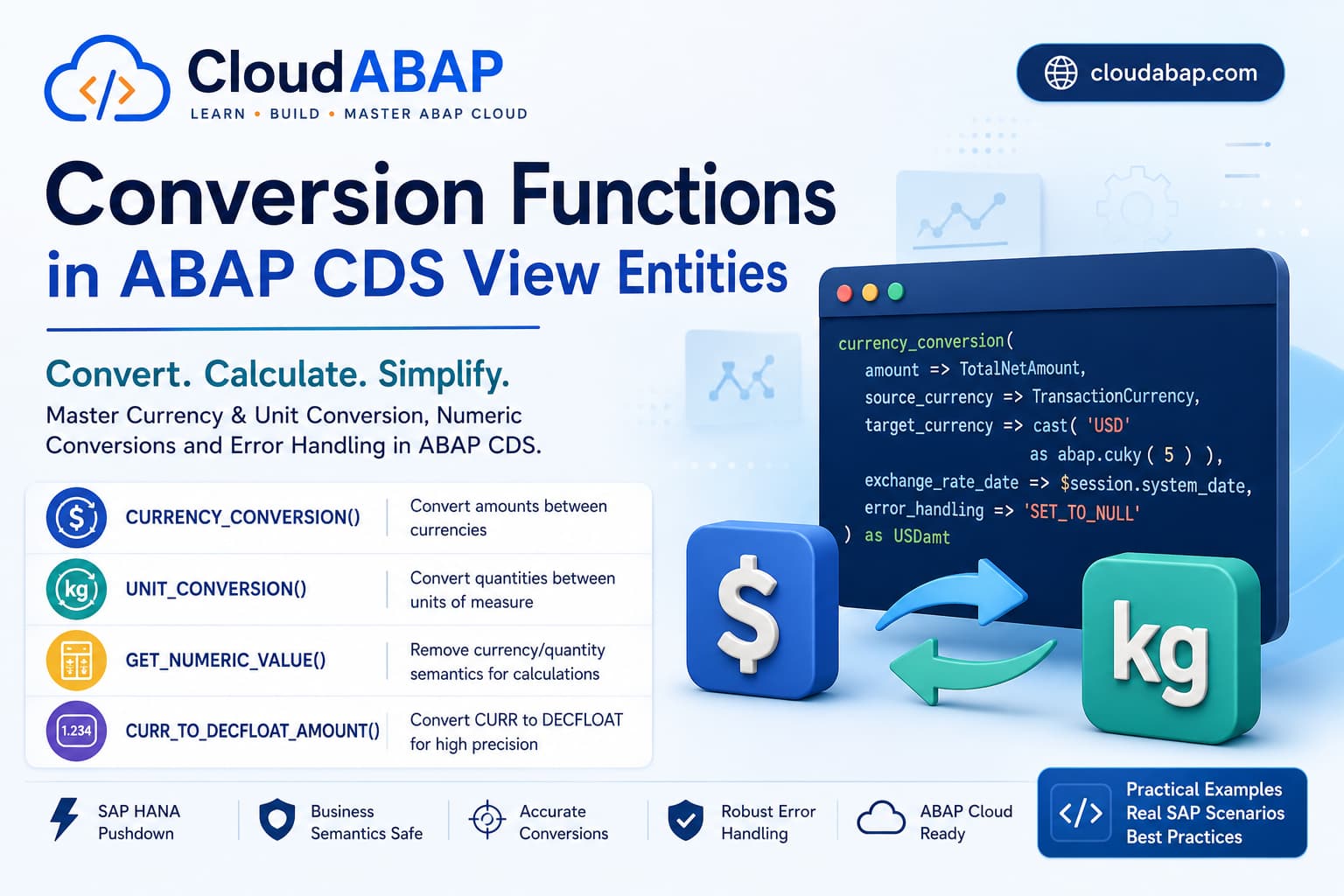
Conversion functions are among the most powerful built-in functions available in ABAP CDS View Entities. They allow developers to safely convert business semantic values such as currencies, quantities, units, and amounts into formats suitable for calculations, reporting, and analytics.
One of the most common mistakes made by developers transitioning from classical ABAP to ABAP Cloud is assuming that business semantic types such as CURR and QUAN behave like ordinary numeric values. In reality, these data types carry business meaning that SAP protects during CDS processing.
Instead of relying on implicit conversions, ABAP CDS provides a rich collection of conversion functions that execute directly inside SAP HANA while preserving the business semantics defined in the Virtual Data Model (VDM).
Architect Perspective
Architect InsightIf you have ever received activation errors while performing calculations on currency or quantity fields, you have already encountered the need for conversion functions.
These functions are not optional conveniences—they are an essential part of production-ready CDS development in SAP S/4HANA Public Cloud.
Learning Objectives
By the end of this lesson, you will understand when each conversion function should be used and how to avoid the most common mistakes encountered during CDS development.
| Topic | Covered |
|---|---|
| GET_NUMERIC_VALUE() | ✅ |
| CURR_TO_DECFLOAT_AMOUNT() | ✅ |
| CURRENCY_CONVERSION() | ✅ |
| UNIT_CONVERSION() | ✅ |
| Parameter Reference | ✅ |
| Error Handling | ✅ |
| Real SAP Scenarios | ✅ |
| Architect Best Practices | ✅ |
Why Do Conversion Functions Exist?
To understand conversion functions, we first need to understand the difference between a technical numeric value and a business semantic value.
Consider a billing document amount stored as a CURR field. Although it looks like a decimal number, it actually consists of two pieces of information:
- The numeric amount.
- The associated currency key.
Removing either piece of information changes the business meaning of the value.
Real Project Example: Invoice Amount
Business Semantic Types vs Technical Numeric Types
| Business Type | Business Meaning | Can Calculate Directly? |
|---|---|---|
| CURR | Currency Amount | ❌ No |
| QUAN | Quantity | ❌ No |
| DEC | Technical Decimal | ✅ Yes |
| DECFLOAT16 | Decimal Floating Point | ✅ Yes |
| DECFLOAT34 | High Precision Decimal | ✅ Yes |
This distinction is the primary reason why conversion functions exist. SAP intentionally separates business semantics from technical numeric calculations to ensure financial and logistical accuracy.
💡 SAP Best Practice
First identify whether the field is a business semantic type such as CURR or QUAN. In most production scenarios, one of the dedicated conversion functions is the correct solution.
The Conversion Functions Covered in This Lesson
| Function | Primary Purpose |
|---|---|
| GET_NUMERIC_VALUE() | Remove currency or quantity semantics. |
| CURR_TO_DECFLOAT_AMOUNT() | Convert CURR into DECFLOAT for calculations. |
| CURRENCY_CONVERSION() | Convert an amount from one currency to another. |
| UNIT_CONVERSION() | Convert quantities between different units of measure. |
GET_NUMERIC_VALUE()
One of the most common activation errors in ABAP CDS occurs when developers attempt to perform arithmetic operations directly on CURR or QUAN fields.
Since these fields contain business semantics in addition to their numeric value, CDS does not treat them as ordinary decimal numbers. The GET_NUMERIC_VALUE() function removes those semantics and returns only the underlying numeric value, making it suitable for calculations.
get_numeric_value( amount_or_quantity )Architect Perspective
Think of GET_NUMERIC_VALUE() as removing the business wrapper from a CURR or QUAN field.The business meaning still exists in your data model, but the returned expression behaves like a normal numeric value that can be used in mathematical calculations.
GET_NUMERIC_VALUE() Parameters
The following table describes all supported parameters for this function.
| Parameter | Required | Type | Default | Description | Example |
|---|---|---|---|---|---|
amount_or_quantity | Required | CURR / QUAN | — | Currency amount or quantity whose numeric value should be returned. | TotalNetAmount |
Example: Calculating GST
Consider the following billing amount.
TotalNetAmount * 0.18 as GSTAmountDepending on the data type, this expression may fail to activate because TotalNetAmount is a CURR field rather than a simple decimal value.
Instead, remove the currency semantics first.
get_numeric_value(
    TotalNetAmount
) * 0.18 as GSTAmount
Real Project Example: Billing Analytics
CURR_TO_DECFLOAT_AMOUNT()
Although GET_NUMERIC_VALUE() removes business semantics, many financial calculations require higher decimal precision than standard packed numbers.
This is where CURR_TO_DECFLOAT_AMOUNT()becomes useful.
curr_to_decfloat_amount( amount )Instead of simply removing the business semantics, this function converts a CURR field into a DECFLOAT34 value suitable for high-precision financial calculations.
CURR_TO_DECFLOAT_AMOUNT() Parameters
The following table describes all supported parameters for this function.
| Parameter | Required | Type | Default | Description | Example |
|---|---|---|---|---|---|
amount | Required | CURR | — | Currency amount to be converted into DECFLOAT. | TotalNetAmount |
Example: Financial Calculation
curr_to_decfloat_amount(
    TotalNetAmount
) * 1.18 as GrossAmount
The resulting value has the DECFLOAT type, making it ideal for calculations that require greater decimal precision than packed numbers.
GET_NUMERIC_VALUE() vs CURR_TO_DECFLOAT_AMOUNT()
| Function | Returns | Typical Usage |
|---|---|---|
| GET_NUMERIC_VALUE() | Numeric Value | General mathematical calculations |
| CURR_TO_DECFLOAT_AMOUNT() | DECFLOAT34 | Financial calculations requiring higher precision |
Architect Perspective
Both functions solve similar problems but produce different output types.If precision is important—for example in financial reporting, taxation, or currency calculations—prefer CURR_TO_DECFLOAT_AMOUNT().
When Should You Use Each Function?
| Scenario | Recommended Function |
|---|---|
| Calculate GST | GET_NUMERIC_VALUE() |
| Calculate Discount Percentage | GET_NUMERIC_VALUE() |
| Margin Calculation | CURR_TO_DECFLOAT_AMOUNT() |
| Financial Reporting | CURR_TO_DECFLOAT_AMOUNT() |
| Currency Conversion | CURRENCY_CONVERSION() |
💡 SAP Best Practice
SAP provides dedicated conversion functions that preserve business semantics and produce predictable results. These functions should always be preferred over generic type conversion.
❌ Common Mistakes
- Using CAST() instead of GET_NUMERIC_VALUE() for arithmetic operations.
- Assuming CURR behaves like DEC in CDS.
- Using CURR_TO_DECFLOAT_AMOUNT() when only a simple numeric calculation is required.
- Ignoring the resulting data type after conversion.
CURRENCY_CONVERSION()
The CURRENCY_CONVERSION() function converts an amount from one currency into another using the exchange rates maintained in the SAP system.
Unlike GET_NUMERIC_VALUE() or CURR_TO_DECFLOAT_AMOUNT(), this function performs a true business conversion rather than simply changing the technical data type.
currency_conversion(
    amount               => amount,
    source_currency      => source_currency,
    target_currency      => target_currency,
    exchange_rate_date   => exchange_rate_date
)
Architect Perspective
Currency conversion is a business operation, not a mathematical one.SAP automatically looks up exchange rates from the currency configuration tables using the supplied exchange rate date and exchange rate type.
CURRENCY_CONVERSION() Parameters
The following table describes all supported parameters for this function.
| Parameter | Required | Type | Default | Description | Example |
|---|---|---|---|---|---|
amount | Required | CURR | — | Source amount to convert. | TotalNetAmount |
source_currency | Required | CUKY | — | Currency of the source amount. | TransactionCurrency |
target_currency | Required | CUKY | — | Currency into which the amount should be converted. | cast('USD' as abap.cuky(5)) |
exchange_rate_date | Required | DATS | — | Date used to determine the exchange rate. | $session.system_date |
exchange_rate_type | Optional | CHAR(4) | 'M' | Exchange rate type maintained in SAP. | 'M' |
round | Optional | CHAR(1) | System Default | Apply commercial rounding. | 'X' |
decimal_shift | Optional | CHAR(1) | — | Shift decimal places before conversion. | — |
decimal_shift_back | Optional | CHAR(1) | — | Shift decimal places after conversion. | — |
client | Optional | CLNT | — | Client used for exchange rate lookup. | $session.client |
error_handling | Optional | CHAR(20) | 'FAIL_ON_ERROR' | Determines behavior if conversion fails. | — |
Basic Example
@Semantics.amount.currencyCode: 'TransactionCurrency'

currency_conversion(

    amount               => TotalNetAmount,

    source_currency      => TransactionCurrency,

    target_currency      => cast( 'USD' as abap.cuky(5) ),

    exchange_rate_date   => $session.system_date

) as USDAmount
SAP automatically determines the exchange rate using the configured exchange rate tables and converts the billing amount into USD.
Why Do We Need CAST()?
One of the most common activation errors looks like this:
Literal of type CHAR is not supported for parameter TARGET_CURRENCYMany developers naturally write:
target_currency => 'USD'However, the target_currency parameter expects a value of type CUKY, not a plain character literal.
target_currency => cast(
    'USD'
    as abap.cuky(5)
)
💡 SAP Best Practice
Handling Conversion Errors
Another common question is:
What happens if SAP cannot determine an exchange rate?By default, CDS raises an exception and the query fails.
To control this behavior, use the error_handling parameter.
| Value | Behavior |
|---|---|
| 'FAIL_ON_ERROR' | Raise an exception (default). |
| 'SET_TO_NULL' | Return NULL when conversion fails. |
| 'KEEP_UNCONVERTED' | Return the original amount without conversion. |
Example with Error Handling
currency_conversion(

    amount               => TotalNetAmount,

    source_currency      => TransactionCurrency,

    target_currency      => cast(
        'USD'
        as abap.cuky(5)
    ),

    exchange_rate_date   => $session.system_date,

    error_handling       => 'SET_TO_NULL'

) as USDAmount
Real Project Example: Missing Exchange Rates
Architect Perspective
Many developers discover the error_handling parameter only after encountering runtime errors.As an architect, decide the desired business behavior up front:
- Financial reporting usually requires FAIL_ON_ERROR.
- Analytical dashboards often prefer SET_TO_NULL.
- Operational reports sometimes use KEEP_UNCONVERTED.
❌ Common Mistakes
- Passing 'USD' directly instead of casting it to CUKY.
- Ignoring the error_handling parameter.
- Using today's date when historical exchange rates should be used.
- Assuming currency_conversion() only changes the data type—it performs a business conversion using SAP exchange rates.
UNIT_CONVERSION()
Just as CURRENCY_CONVERSION() converts monetary values between different currencies, UNIT_CONVERSION() converts quantities between different units of measure using the conversion rules maintained in SAP.
Instead of manually multiplying values by conversion factors, SAP automatically determines the correct conversion ratio based on the configured Unit of Measure (UoM) master data.
unit_conversion(

    quantity        => quantity,

    source_unit     => source_unit,

    target_unit     => target_unit

)
Architect Perspective
Unit conversion is a business conversion rather than a mathematical multiplication.SAP determines the appropriate conversion factor from the Unit of Measure configuration rather than relying on hard-coded formulas.
UNIT_CONVERSION() Parameters
The following table describes all supported parameters for this function.
| Parameter | Required | Type | Default | Description | Example |
|---|---|---|---|---|---|
quantity | Required | QUAN | — | Quantity to be converted. | OrderQuantity |
source_unit | Required | UNIT | — | Current unit of measure. | BaseUnit |
target_unit | Required | UNIT | — | Target unit of measure. | cast('KG' as abap.unit(3)) |
client | Optional | CLNT | — | Client used during conversion. | $session.client |
error_handling | Optional | CHAR(20) | 'FAIL_ON_ERROR' | Determines the behavior if conversion cannot be performed. | — |
Basic Example
@Semantics.quantity.unitOfMeasure: 'BaseUnit'

unit_conversion(

    quantity        => OrderQuantity,

    source_unit     => BaseUnit,

    target_unit     => cast(
        'KG'
        as abap.unit(3)
    )

) as QuantityInKG
SAP automatically converts the quantity into kilograms using the maintained Unit of Measure conversion definitions.
Why CAST() Is Required
Just like currency conversion, the target_unit parameter expects the semantic data type UNIT, not a character literal.
target_unit => 'KG'target_unit => cast(
'KG'
as abap.unit(3)
)💡 SAP Best Practice
Error Handling
UNIT_CONVERSION() supports the same error handling strategies as CURRENCY_CONVERSION().
| Value | Behavior |
|---|---|
| 'FAIL_ON_ERROR' | Raise an exception. |
| 'SET_TO_NULL' | Return NULL if conversion fails. |
| 'KEEP_UNCONVERTED' | Return the original quantity. |
unit_conversion(
quantity => OrderQuantity,
source_unit => BaseUnit,
target_unit => cast(

    'KG'

    as abap.unit(3)

),
error_handling => 'SET_TO_NULL'
) as QuantityInKGReal-World Example
Real Project Example: Procurement Dashboard
CURRENCY_CONVERSION() vs UNIT_CONVERSION()
| Feature | CURRENCY_CONVERSION() | UNIT_CONVERSION() |
|---|---|---|
| Converts | Currency Amount | Quantity |
| Business Semantic Type | CURR | QUAN |
| Target Type | CUKY | UNIT |
| Configuration Source | Exchange Rate Tables | Unit of Measure Configuration |
| Typical Scenario | Financial Reporting | Inventory & Logistics |
Which Conversion Function Should You Use?
| Requirement | Recommended Function |
|---|---|
| Remove CURR semantics | GET_NUMERIC_VALUE() |
| Convert CURR to DECFLOAT | CURR_TO_DECFLOAT_AMOUNT() |
| Convert Currency | CURRENCY_CONVERSION() |
| Convert Quantity | UNIT_CONVERSION() |
❌ Common Mistakes
- Passing 'KG' directly instead of casting it to UNIT.
- Using multiplication instead of UNIT_CONVERSION().
- Ignoring error handling for missing unit conversions.
- Confusing UNIT_CONVERSION() with GET_NUMERIC_VALUE().
Architect Perspective
One of the biggest differences between classical ABAP and ABAP CDS is trusting the SAP business configuration.Rather than maintaining your own conversion factors, always use UNIT_CONVERSION() and CURRENCY_CONVERSION() whenever business semantics are involved. This ensures that your CDS Views remain aligned with SAP configuration and continue to work correctly even when conversion rules change.
Understanding Error Handling
Both CURRENCY_CONVERSION() and UNIT_CONVERSION() perform business conversions using SAP configuration.
In production systems, conversions may occasionally fail because exchange rates or unit conversion definitions are unavailable. Instead of allowing the entire CDS query to fail, SAP provides the error_handling parameter to control the desired behavior.
Architect Perspective
Never choose an error handling strategy based only on technical convenience.The correct option depends entirely on the business requirement.
Supported Error Handling Options
| Option | Behavior | Typical Usage |
|---|---|---|
| 'FAIL_ON_ERROR' | Raises an exception and stops processing. | Financial postings, statutory reporting |
| 'SET_TO_NULL' | Returns NULL when conversion fails. | Analytical CDS Views, dashboards |
| 'KEEP_UNCONVERTED' | Returns the original value without conversion. | Operational reports |
Example: FAIL_ON_ERROR
currency_conversion(

    amount               => TotalNetAmount,

    source_currency      => TransactionCurrency,

    target_currency      => cast(
        'USD'
        as abap.cuky(5)
    ),

    exchange_rate_date   => $session.system_date,

    error_handling       => 'FAIL_ON_ERROR'

) as USDAmount
Real Project Example: Statutory Financial Reporting
Example: SET_TO_NULL
currency_conversion(

    amount               => TotalNetAmount,

    source_currency      => TransactionCurrency,

    target_currency      => cast(
        'USD'
        as abap.cuky(5)
    ),

    exchange_rate_date   => $session.system_date,

    error_handling       => 'SET_TO_NULL'

) as USDAmount
Real Project Example: Management Dashboard
Example: KEEP_UNCONVERTED
currency_conversion(

    amount               => TotalNetAmount,

    source_currency      => TransactionCurrency,

    target_currency      => cast(
        'USD'
        as abap.cuky(5)
    ),

    exchange_rate_date   => $session.system_date,

    error_handling       => 'KEEP_UNCONVERTED'

) as USDAmount
Real Project Example: Operational Monitoring
Architect Best Practices
💡 SAP Best Practice
- Use GET_NUMERIC_VALUE() when removing business semantics before calculations.
- Use CURR_TO_DECFLOAT_AMOUNT() for high-precision financial calculations.
- Use CURRENCY_CONVERSION() instead of manually multiplying exchange rates.
- Use UNIT_CONVERSION() instead of maintaining custom conversion factors.
- Always CAST string literals supplied to semantic parameters such as CUKY and UNIT.
- Select the appropriate error_handling strategy according to the business requirement rather than personal preference.
Interview Questions
Why can't CURR fields always be used directly in calculations?
Answer: Because CURR is a business semantic type rather than a simple numeric value.
What is the difference between GET_NUMERIC_VALUE() and CURR_TO_DECFLOAT_AMOUNT()?
Answer: GET_NUMERIC_VALUE() removes business semantics, whereas CURR_TO_DECFLOAT_AMOUNT() converts the amount into a DECFLOAT value suitable for high-precision calculations.
Why must 'USD' be cast when supplied as target_currency?
Answer: Because target_currency expects the semantic type CUKY rather than a character literal.
When should SET_TO_NULL be preferred over FAIL_ON_ERROR?
Answer: For analytical CDS Views or dashboards where displaying partial results is preferable to terminating the query.
Should currency conversion be implemented using multiplication or CURRENCY_CONVERSION()?
Answer: Always use CURRENCY_CONVERSION() because SAP automatically determines the correct exchange rate from system configuration.
Conversion Functions Cheat Sheet
4 Functions • Business Conversions • SAP HANA Pushdown
Quick reference for the most commonly used conversion functions in ABAP CDS View Entities.
| Function | Syntax | Purpose |
|---|---|---|
| GET_NUMERIC_VALUE() | get_numeric_value(field) | Remove business semantics |
| CURR_TO_DECFLOAT_AMOUNT() | curr_to_decfloat_amount(field) | Convert CURR to DECFLOAT |
| CURRENCY_CONVERSION() | currency_conversion(...) | Convert currency values |
| UNIT_CONVERSION() | unit_conversion(...) | Convert units of measure |
💡 Key Takeaway
Conversion functions are essential for building production-ready CDS View Entities. Rather than relying on generic type conversion or manual calculations, SAP provides specialized functions that preserve business semantics while executing efficiently in SAP HANA.
Understanding when to use GET_NUMERIC_VALUE(), CURR_TO_DECFLOAT_AMOUNT(), CURRENCY_CONVERSION(), and UNIT_CONVERSION() is a fundamental skill expected from every ABAP Cloud developer and SAP Technical Architect.
Watch the Complete ADT Walkthrough
In the accompanying video, we'll implement every conversion function discussed in this lesson using Eclipse ADT and SAP S/4HANA Public Cloud. We'll troubleshoot common activation errors, explore error handling strategies, and build production-ready examples.